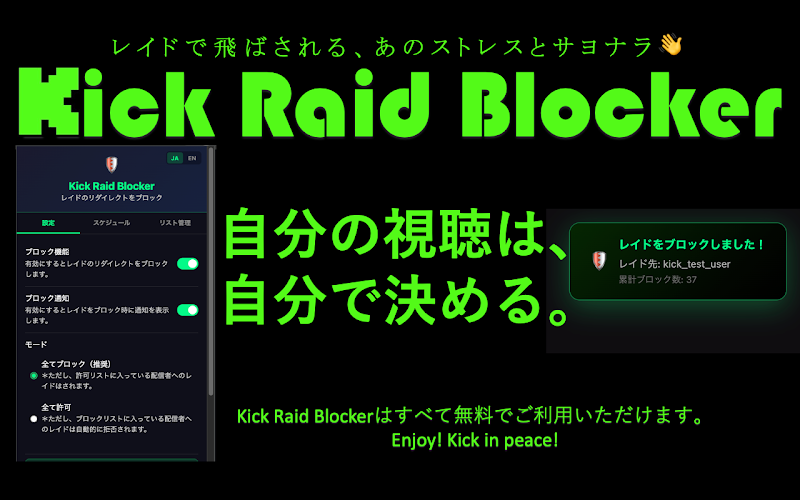
Kick Raid Blocker is a browser extension that automatically blocks raids on the streaming site Kick.com.
When a streamer triggers a raid as their stream is wrapping up, this extension stops you from being redirected to the next stream. (It cancel automatically.) It's also perfect for anyone who finds it a hassle to click the "decline" or "cancel" button every single time 👍
It's very easy to use—just add the extension and reload Kick.com, and it's good to go. Blocking is enabled by default, so feel free to adjust it to suit your needs. With the list management feature, you can also "allow only specific streamers" or "block only specific streamers."
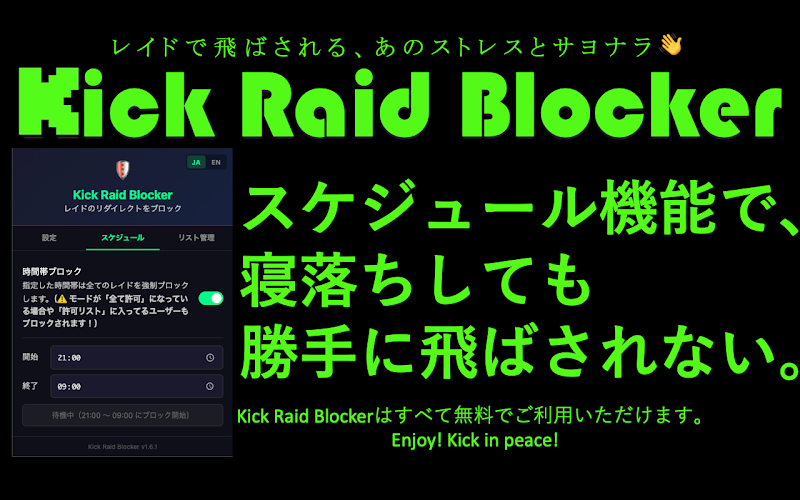
The latest version adds a "Schedule" feature. When enabled, raids are forcibly blocked during the time periods you specify.
In other words, even when the mode is set to "Allow All" or for streamers on your allow list, raids will still be blocked during those times. Outside of the specified time periods, the extension behaves as usual.
This extension does not collect any data whatsoever. It's designed with your privacy as the top priority. It never communicates with or sends data to external servers—everything is processed locally on your own device. It also doesn't use any tracking or analytics tools. Your activity and information are never shared with third parties.
Enjoy KICK with peace of mind!
*This is not an official KICK extension.
Supported browsers (PC): Chromium-based browsers (Google Chrome, Brave Browser, Edge, etc.), Firefox
Supported browsers (smartphone/tablet)*: Orion Browser (iPhone / iPad), Firefox (Android), Kiwi Browser (Android), Lemur Browser (Android)
*On smartphones and tablets, the extension may not run reliably, or may not work at all even if it can be installed.
You can add the extension from the links below:
・For Chromium-based browsers such as Google Chrome, Brave Browser, and Orion Browser, click here